Merchant API guide
Let customers check order status through your API
Ouviro can call your read-only API during a conversation. Your server must decide whether the supplied order number and email authorize access to that order.
Ouviro · Published
1. Prepare a read-only lookup
Prepare an owner or admin account, a website channel, and an endpoint returning JSON without changing orders, payments, or fulfillment. Use fictional data: DEMO-1042 and ana@example.com.
Widget installation and admin embedding do not grant order access. This custom API integration is not a native Shopify or WooCommerce connector.
2. Use a fixed public HTTPS host
Configure an absolute HTTPS URL on the default port. Ouviro sends GET requests and does not follow redirects. Visitor values may fill path or query parameters, never the host.
Localhost, IP literals, private-looking hosts, ouviro.com, workers.dev, and pages.dev are rejected. For an API hosted on Cloudflare Workers, configure your own public custom domain; do not try to bypass host restrictions.
3. Require both order number and email
Require at least order_id and email. Include both in the URL template, with email in the query string. The example allows 64 characters for order_id and 200 for email; no parameter may exceed 200.
Your server must validate both together before returning order fields. Ouviro's format checks do not prove ownership. Apply your own authorization and abuse controls.
4. Keep service credentials server-side
Configure the service credential's allowed header name and secret in tool settings. Ouviro adds it server-side. Never put the secret in the widget, HTML, URL, or knowledge files.
This credential authorizes the caller; your API must still check the visitor's order number and email.
5. Configure the tool for your channel
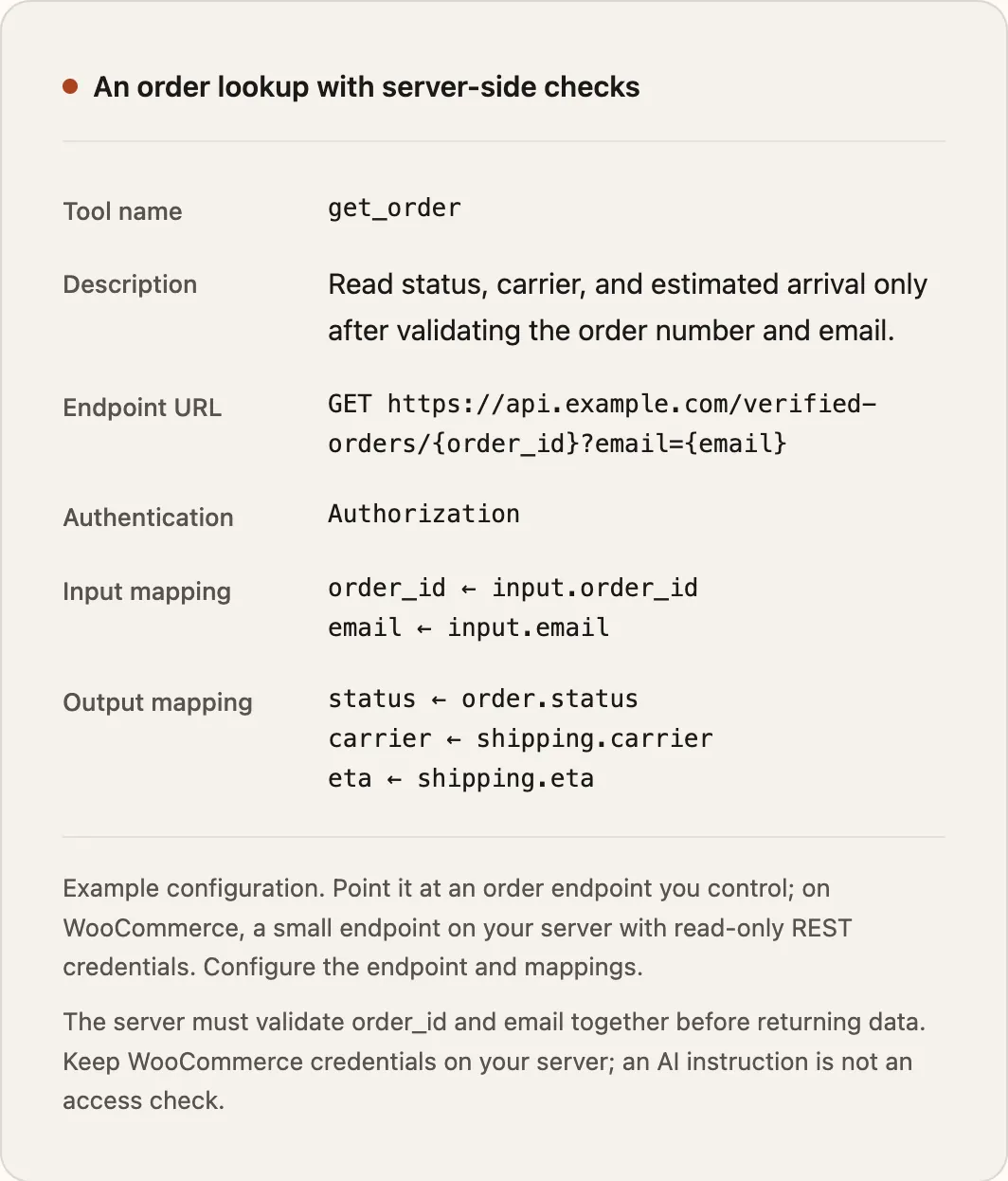
Create the tool, choose its channel, and adapt this definition. Set a timeout between 1 and 5 seconds.
The example hostnames and customer values are fictional. Supply your own endpoint and store the secret separately; this example is not a working merchant service.
This JSON documents the configuration fields. Enter them in the dashboard form; the form does not accept a whole JSON paste. Parameter length limits are part of the API definition and are not editable in that form.
{
  "name": "get_order",
  "description": "Look up order status and shipping details using the order number and the email used at checkout.",
  "urlTemplate": "https://api.example.com/verified-orders/{order_id}?email={email}",
  "params": [
    {
      "name": "order_id",
      "description": "The order number provided by the visitor.",
      "required": true,
      "pattern": null,
      "maxLength": 64
    },
    {
      "name": "email",
      "description": "The email used at checkout, provided by the visitor.",
      "required": true,
      "pattern": "^[^\\s@]+@[^\\s@]+\\.[^\\s@]+$",
      "maxLength": 200
    }
  ],
  "responseMap": [
    {
      "path": "order.status",
      "label": "Order status"
    },
    {
      "path": "shipping.carrier",
      "label": "Carrier"
    },
    {
      "path": "shipping.eta",
      "label": "Estimated arrival"
    }
  ],
  "authHeaderName": "Authorization",
  "timeoutMs": 5000
}
JSON · Illustrative example
{
  "order": {
    "status": "shipped"
  },
  "shipping": {
    "carrier": "Example Carrier",
    "eta": "3–5 business days"
  }
}
6. Map only the fields customers need
Use dotted paths such as order.status or order.shipment.status, without a $. prefix. Match your server's actual JSON.
Only mapped scalar fields reach the answer model; missing fields and objects do not become facts. Exclude internal notes, addresses, payment credentials, and unrelated customer records.
7. Check the first valid answer
Test a matching fictional order and email in the dashboard. Check the request, fields, and status. Then query the order in the widget, supplying both values.
Compare the reply with your API response and review the conversation's tool-call record. An endpoint test alone does not prove conversation behavior.
8. Test denial, missing orders, and timeouts
Test a wrong email, unknown order, missing parameter, invalid JSON, and slow endpoint. A wrong email must disclose no order fields. Not-found, HTTP errors, and timeout results must never become invented shipment or payment details.
If a lookup fails, ask for corrected information or route to human support. A timeout does not mean an order is missing, canceled, or unpaid.